class: center, middle, inverse, title-slide # How to Make Slides in R ## Using xaringan ### Zhi Yang ### 2019/2/26 --- # How I met xaringan <img src="imgs/icon.png" alt="Sharingan" width="10%" align="center"/> .center[An `R` user who would like to share awesome things in `R`] -- .pull-left[ by showing a bunch of `R code snippets` without losing taste. <img src="https://i2.wp.com/erickimphotography.com/blog/wp-content/uploads/2018/09/steve-jobs-interview-11.png" width="90%" /> ] -- .pull-right[ given no time nor money on formatting codes and adjusting layouts. <img src="https://cdn-images-1.medium.com/max/800/1*8Z1xFlBtHVN1rY7oWFnlIg.gif"/> ] ??? https://medium.com/@jakeout/deprecate-keynote-78f0f09424dd --- # Meet xaringan <img src="imgs/icon.png" alt="Sharingan" width="10%" align="center"/> Beautiful and concise layout .center[<img src=imgs/ml.gif width="47%"> <img src=imgs/showcase.gif width="47%">] .center[<img src=imgs/du.gif width="47%">] --- # Meet xaringan <img src="imgs/icon.png" alt="Sharingan" width="10%" align="center"/> Code highlighting and live demos .center[] --- # Meet xaringan <img src="imgs/icon.png" alt="Sharingan" width="10%" align="center"/> Version control and easy distribution .center[ <img src=https://marketplace-cdn.atlassian.com/files/images/cec44feb-0b1b-4fe3-936d-67a51a1fe28e.png width="50%"> <img src=https://doconfig.netlify.com/images/logos/netlify.jpg width="50%") /> ] --- # Meet xaringan <img src="imgs/icon.png" alt="Sharingan" width="10%" align="center"/> It animates .center[ ] --- # Infinite moon reader 👩🚀 Do you use `ctrl + K` to render your slides? - So, Are you tired from scrolling down to the page you were working on? .center[<img src="https://memegenerator.net/img/instances/61114187.jpg" width='50%' align="middle"/>] -- ####Turn on the `Moon Reader` from either the pacakge or the addins ####From now on, the slides will auto-reload every time you `save` it --- # Infinite moon reader 👩🚀 .center[] --- class: center, middle # Keyboard shortcuts Press `h` or `?` -- `m` -> mirror `b` -> blackout `f` -> fullscreen mode -- `c` -> clone slideshow `p` -> presenter mode `t` -> restart timer --- # Themes - Built-in themes ```r names(xaringan:::list_css()) ``` ``` ## [1] "chocolate-fonts" "chocolate" "default-fonts" ## [4] "default" "duke-blue" "fc-fonts" ## [7] "fc" "hygge-duke" "hygge" ## [10] "kunoichi" "lucy-fonts" "lucy" ## [13] "metropolis-fonts" "metropolis" "middlebury-fonts" ## [16] "middlebury" "ninjutsu" "rladies-fonts" ## [19] "rladies" "robot-fonts" "robot" ## [22] "rutgers-fonts" "rutgers" "shinobi" ## [25] "tamu-fonts" "tamu" "uo-fonts" ## [28] "uo" "uol-fonts" "uol" ``` -- These go to your YAML ```r output: xaringan::moon_reader: * css: [default, rladies, rladies-fonts] ``` --- class: center, middle # Build your own theme <img src="imgs/dark.jpg" width=80% align="center" /> <img src="imgs/light.jpg" width=80% align="center" /> https://pkg.garrickadenbuie.com/xaringanthemer/ --- # Somewhere in the middle? Add `my-style.css` to the YAML with the current css file ```r output: xaringan::moon_reader: * css: [default, rladies, lucy-fonts, my-style.css] ``` -- While sitting in my-style.css file, ```css .red { color: red; } .remark-code-line-highlighted { background-color: #e8c9e9; } .remark-code, .remark-inline-code { color: #7c347f; font-weight: 300; } ``` -- I've changed it to .red[red]. --- # Where to find the themes files? You can find CSS files here. However, don't save your own CSS file here. .center[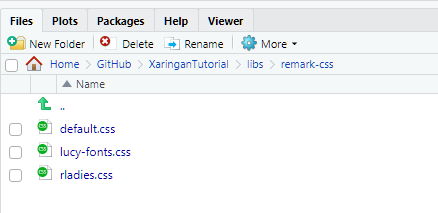] -- ### - start with an existing theme ### - try change something and see what happens --- # Meet slidex It converts PowerPoint slides to xaringan slides .center[] --- #Start with the YAML .pull-left[ ### Simple version ``` --- title: "How to Make Slides in R" output: xaringan::moon_reader --- ``` ] -- .pull-right[ ### More options ``` --- title: "How to Make Slides in R" subtitle: "Using xaringan" author: "Zhi Yang" date: "2019/2/26" output: xaringan::moon_reader: css: ["default", "rladies", "lucy-fonts", "my-style.css"] lib_dir: libs nature: highlightStyle: github highlightLines: true countIncrementalSlides: false #chakra: "remark.js" --- ``` ] --- # Make new slides Three dashes `---` gives a new slide ``` --- title: "How to Make Slides in R" output: xaringan::moon_reader --- A slide --- Another slide ``` --- # Align an entire slide .left-column[ ###Horizontal ``` left, *center, right ``` ###Vertical ``` top, *middle, bottom ``` ] .right-column[ ```r --- *class: center, middle # Demo slide This is a center- and middle- aligned slide. ``` ] --- # Align the text .left-column[ ###Horizontal ``` .left[texts] *.center[texts] .right[texts] ``` ] .right-column[ ```r --- class: center, middle # Demo slide *.right[This is a center- and middle- aligned slide.] ``` ] --- class: center, middle # Demo slide .right[This is a center- and middle- aligned slide.] --- # Incremental reveals .left-column[ ```markdown # Hi Did you know -- you can -- do this? ``` ] #Hi -- Did you know -- you can -- do this? --- # Code and higtlight use the trailing comment `#<<` to highlight specific lines of the code .pull-left[ Source: ````markdown ```{r} namedata <- babynames %>% filter(name == "Orange") %>% filter(sex == "M") %>% #<< arrange(year) head(namedata) ``` ```` ] .pull-right[ Output: ```r namedata <- babynames %>% filter(name == "Orange") %>% * filter(sex == "M") %>% arrange(year) head(namedata) ``` ] --- # Output and higtlight use the chunk option `highlight.output` to highlight specific lines of the text output .pull-left[ Source: ````markdown ```{r head, highlight.output=c(1, 3)} namedata <- babynames %>% filter(name == "Orange") %>% filter(sex == "M") %>% #<< arrange(year) head(namedata) ``` ```` ] .pull-right[ Output: ``` *## # A tibble: 6 x 5 ## year sex name n prop *## <dbl> <chr> <chr> <int> <dbl> ## 1 1881 M Orange 9 0.0000831 ## 2 1882 M Orange 8 0.0000656 ## 3 1883 M Orange 11 0.0000978 ## 4 1884 M Orange 13 0.000106 ## 5 1885 M Orange 8 0.000069 ## 6 1886 M Orange 7 0.0000588 ``` ] --- # Two-columns .top-column[ ````md .pull-left[ ```{r refname echo=TRUE, eval=FALSE} your R code ``` ] .pull-right[ ```{r ref.label="refname" echo=FALSE, eval=TRUE} ``` ] ```` ] `.pull-left` and `.pull-right` provide 47% width -- .pull-left[ ```r namedata <- babynames %>% filter(name == "Orange") %>% * filter(sex == "M") %>% arrange(year) head(namedata) ``` ] -- .pull-right[ ``` ## # A tibble: 6 x 5 ## year sex name n prop ## <dbl> <chr> <chr> <int> <dbl> ## 1 1881 M Orange 9 0.0000831 ## 2 1882 M Orange 8 0.0000656 ## 3 1883 M Orange 11 0.0000978 ## 4 1884 M Orange 13 0.000106 ## 5 1885 M Orange 8 0.000069 ## 6 1886 M Orange 7 0.0000588 ``` ] --- # Two-columns ````md .left-column[ ```{r evel = FALSE} Your R code ``` ] .right-column[ ```{r evel = FALSE, echo = FALSE} Your R code ``` ] ```` `.left-column` and `.right-column` provide 20% and 75% width -- .left-column[ <img src="https://pbs.twimg.com/media/C8IFatuU0AAO-xc.jpg" align="center" /> ```r head(gss_cat) ``` ] -- .right-column[ ``` ## # A tibble: 6 x 9 ## year marital age race rincome partyid relig denom tvhours ## <int> <fct> <int> <fct> <fct> <fct> <fct> <fct> <int> ## 1 2000 Never ma~ 26 White $8000 to~ Ind,near ~ Protest~ Southe~ 12 ## 2 2000 Divorced 48 White $8000 to~ Not str r~ Protest~ Baptis~ NA ## 3 2000 Widowed 67 White Not appl~ Independe~ Protest~ No den~ 2 ## 4 2000 Never ma~ 39 White Not appl~ Ind,near ~ Orthodo~ Not ap~ 4 ## 5 2000 Divorced 25 White Not appl~ Not str d~ None Not ap~ 1 ## 6 2000 Married 25 White $20000 -~ Strong de~ Protest~ Southe~ NA ``` ] --- #Add a table ```r head(iris, n = 3) ``` ``` ## Sepal.Length Sepal.Width Petal.Length Petal.Width Species ## 1 5.1 3.5 1.4 0.2 setosa ## 2 4.9 3.0 1.4 0.2 setosa ## 3 4.7 3.2 1.3 0.2 setosa ``` ```r knitr::kable(head(iris, n = 3), format = "html") ``` <table> <thead> <tr> <th style="text-align:right;"> Sepal.Length </th> <th style="text-align:right;"> Sepal.Width </th> <th style="text-align:right;"> Petal.Length </th> <th style="text-align:right;"> Petal.Width </th> <th style="text-align:left;"> Species </th> </tr> </thead> <tbody> <tr> <td style="text-align:right;"> 5.1 </td> <td style="text-align:right;"> 3.5 </td> <td style="text-align:right;"> 1.4 </td> <td style="text-align:right;"> 0.2 </td> <td style="text-align:left;"> setosa </td> </tr> <tr> <td style="text-align:right;"> 4.9 </td> <td style="text-align:right;"> 3.0 </td> <td style="text-align:right;"> 1.4 </td> <td style="text-align:right;"> 0.2 </td> <td style="text-align:left;"> setosa </td> </tr> <tr> <td style="text-align:right;"> 4.7 </td> <td style="text-align:right;"> 3.2 </td> <td style="text-align:right;"> 1.3 </td> <td style="text-align:right;"> 0.2 </td> <td style="text-align:left;"> setosa </td> </tr> </tbody> </table> Set the table to be the `HTML` format --- #Add a plot ```r par(mar = c(4, 4, 1, 0.1)) plot(cars, pch = 19, col = "darkgray", las = 1) ``` 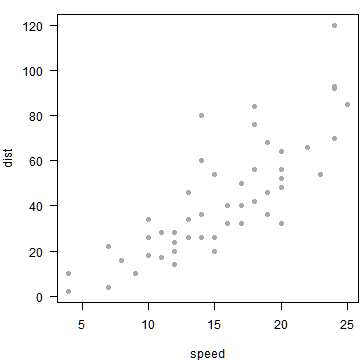<!-- --> use `fig.height` and `fig.width` to control the size --- #Add an image ```r  ```  --- #Resize it Should it be something like `{width=10px}` ? 😢 -- Option 1: ```markdown <img src="imgs/ocrug.jpeg" width="20%" /> ``` <img src="imgs/ocrug.jpeg" width="20%" /> -- Option 2: ````markdown ```{r out.width = "20%", eval=TRUE} knitr::include_graphics("imgs/ocrug.jpeg") ``` ```` <img src="imgs/ocrug.jpeg" width="20%" /> --- background-image: url(/imgs/ocrug.jpeg) background-size: cover # Full screen ```r background-image: url(/imgs/ocrug.jpeg) background-size: cover ``` --- background-image: url(/imgs/ocrug.jpeg) background-size: contain # Rescale only ```r background-image: url(/imgs/ocrug.jpeg) background-size: contain ``` --- background-image: url(/imgs/ocrug.jpeg) background-size: contain background-position: bottom # Change position ```r background-image: url(/imgs/ocrug.jpeg) background-size: contain background-position: bottom ``` --- background-image: url(https://secure.meetupstatic.com/photos/event/2/b/9/e/600_471491166.jpeg) background-size: contain background-position: bottom # Use online image ```markdown background-image: url(https://secure.meetupstatic.com/photos/event/2/b/9/e/600_471491166.jpeg) background-size: contain background-position: bottom ``` --- background-image: url(imgs/ocrug_logo.png), url(imgs/ocrug_logo.png) background-position: 0% 100%, 100% 0% background-size: 30%, 10% # Logos ```markdown background-image: url(imgs/ocrug_logo.png), url(imgs/ocrug_logo.png) background-position: 0% 100%, 100% 0% background-size: 30%, 10% ``` --- # Hosting slides <svg style="height:0.8em;top:.04em;position:relative;" viewBox="0 0 496 512"><path d="M165.9 397.4c0 2-2.3 3.6-5.2 3.6-3.3.3-5.6-1.3-5.6-3.6 0-2 2.3-3.6 5.2-3.6 3-.3 5.6 1.3 5.6 3.6zm-31.1-4.5c-.7 2 1.3 4.3 4.3 4.9 2.6 1 5.6 0 6.2-2s-1.3-4.3-4.3-5.2c-2.6-.7-5.5.3-6.2 2.3zm44.2-1.7c-2.9.7-4.9 2.6-4.6 4.9.3 2 2.9 3.3 5.9 2.6 2.9-.7 4.9-2.6 4.6-4.6-.3-1.9-3-3.2-5.9-2.9zM244.8 8C106.1 8 0 113.3 0 252c0 110.9 69.8 205.8 169.5 239.2 12.8 2.3 17.3-5.6 17.3-12.1 0-6.2-.3-40.4-.3-61.4 0 0-70 15-84.7-29.8 0 0-11.4-29.1-27.8-36.6 0 0-22.9-15.7 1.6-15.4 0 0 24.9 2 38.6 25.8 21.9 38.6 58.6 27.5 72.9 20.9 2.3-16 8.8-27.1 16-33.7-55.9-6.2-112.3-14.3-112.3-110.5 0-27.5 7.6-41.3 23.6-58.9-2.6-6.5-11.1-33.3 2.6-67.9 20.9-6.5 69 27 69 27 20-5.6 41.5-8.5 62.8-8.5s42.8 2.9 62.8 8.5c0 0 48.1-33.6 69-27 13.7 34.7 5.2 61.4 2.6 67.9 16 17.7 25.8 31.5 25.8 58.9 0 96.5-58.9 104.2-114.8 110.5 9.2 7.9 17 22.9 17 46.4 0 33.7-.3 75.4-.3 83.6 0 6.5 4.6 14.4 17.3 12.1C428.2 457.8 496 362.9 496 252 496 113.3 383.5 8 244.8 8zM97.2 352.9c-1.3 1-1 3.3.7 5.2 1.6 1.6 3.9 2.3 5.2 1 1.3-1 1-3.3-.7-5.2-1.6-1.6-3.9-2.3-5.2-1zm-10.8-8.1c-.7 1.3.3 2.9 2.3 3.9 1.6 1 3.6.7 4.3-.7.7-1.3-.3-2.9-2.3-3.9-2-.6-3.6-.3-4.3.7zm32.4 35.6c-1.6 1.3-1 4.3 1.3 6.2 2.3 2.3 5.2 2.6 6.5 1 1.3-1.3.7-4.3-1.3-6.2-2.2-2.3-5.2-2.6-6.5-1zm-11.4-14.7c-1.6 1-1.6 3.6 0 5.9 1.6 2.3 4.3 3.3 5.6 2.3 1.6-1.3 1.6-3.9 0-6.2-1.4-2.3-4-3.3-5.6-2z"/></svg> .center[<img src="imgs/github.png" width="80%" />] --- # Netlify 💻 .pull-left[ `Step 1:` go to netlify.com <img src="imgs/netlify.jpg" align="middle" /> ] .pull-right[ `Step 2:` connect with your Github account <img src="imgs/step2.jpg" align="middle" /> ] --- # Netlify 💻 .pull-left[ `Step 3:` select a repo <img src="imgs/step3.jpg" align="middle" /> ] -- .pull-right[ `Step 4:` select a branch <img src="imgs/step4.jpg" align="middle" /> ] --- # Netlify 💻 .pull-top[ `Step 5:` deploy a site <img src="imgs/deploy.jpg" width='60%' align="middle" /> ] .pull-bottom[ `Step 6:` change site name <img src="imgs/step5.jpg" width='50%' align="middle" /> ] --- class: middle # More info... .pull-left[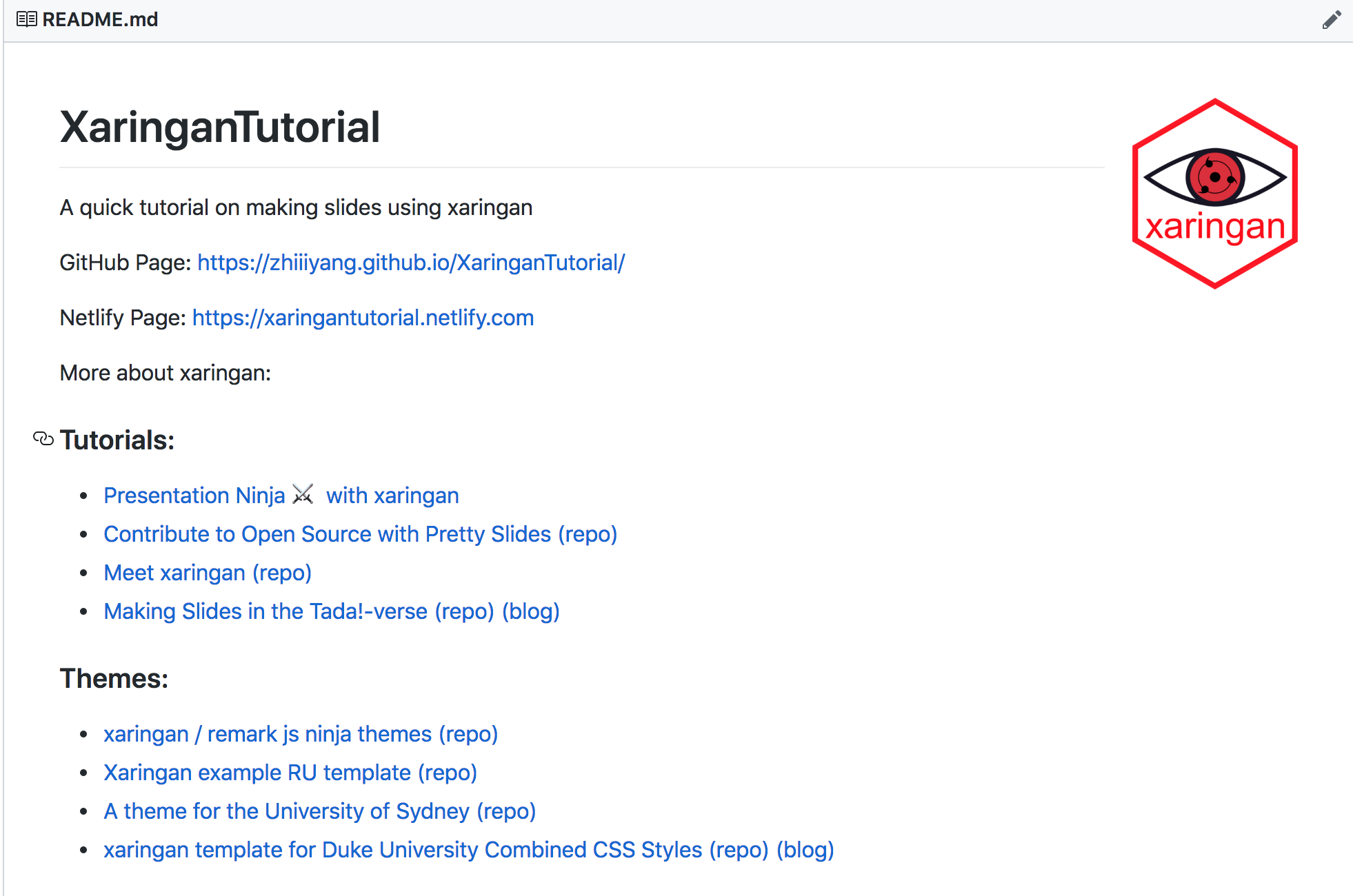] .pull-right[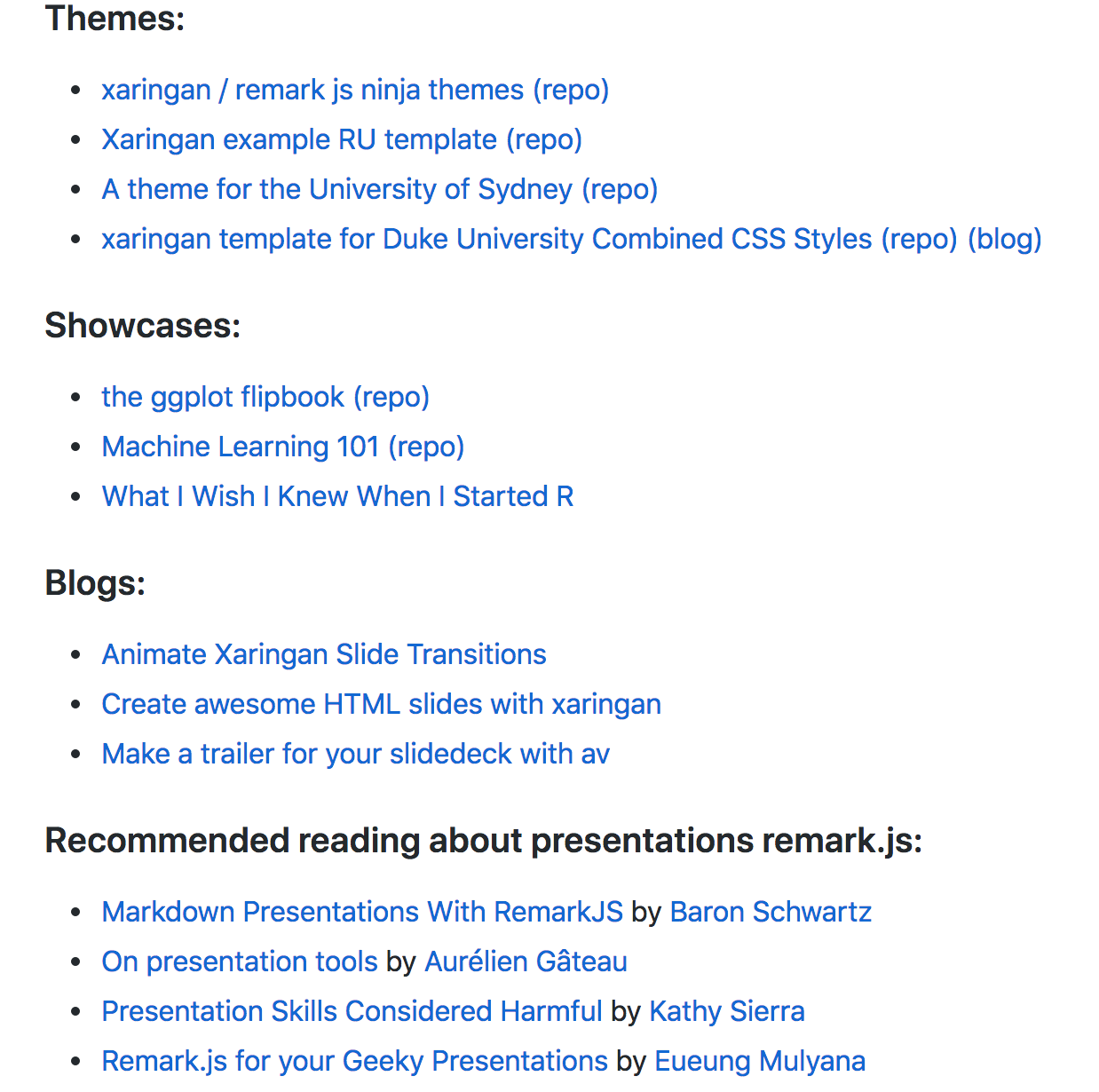] --- class: center, middle # Thanks! <br> @zhiiiyang https://github.com/zhiiiyang/XaringanTutorial <br> Slides created via the R package [**xaringan**](https://github.com/yihui/xaringan) Template created by [Alison Hill](https://alison.rbind.io/)